 Taalk Help Center
Integrations Overview
The Integrations page connects Taalk to your CRM, calendar and phone carrier, and manages API access. This article lists every integration, what it costs and where to learn more.
Go to Platform › Developer › Integrations.
The page appears once your workspace is live on a paid plan. On the free sandbox it's hidden; see Free Trial.
The page
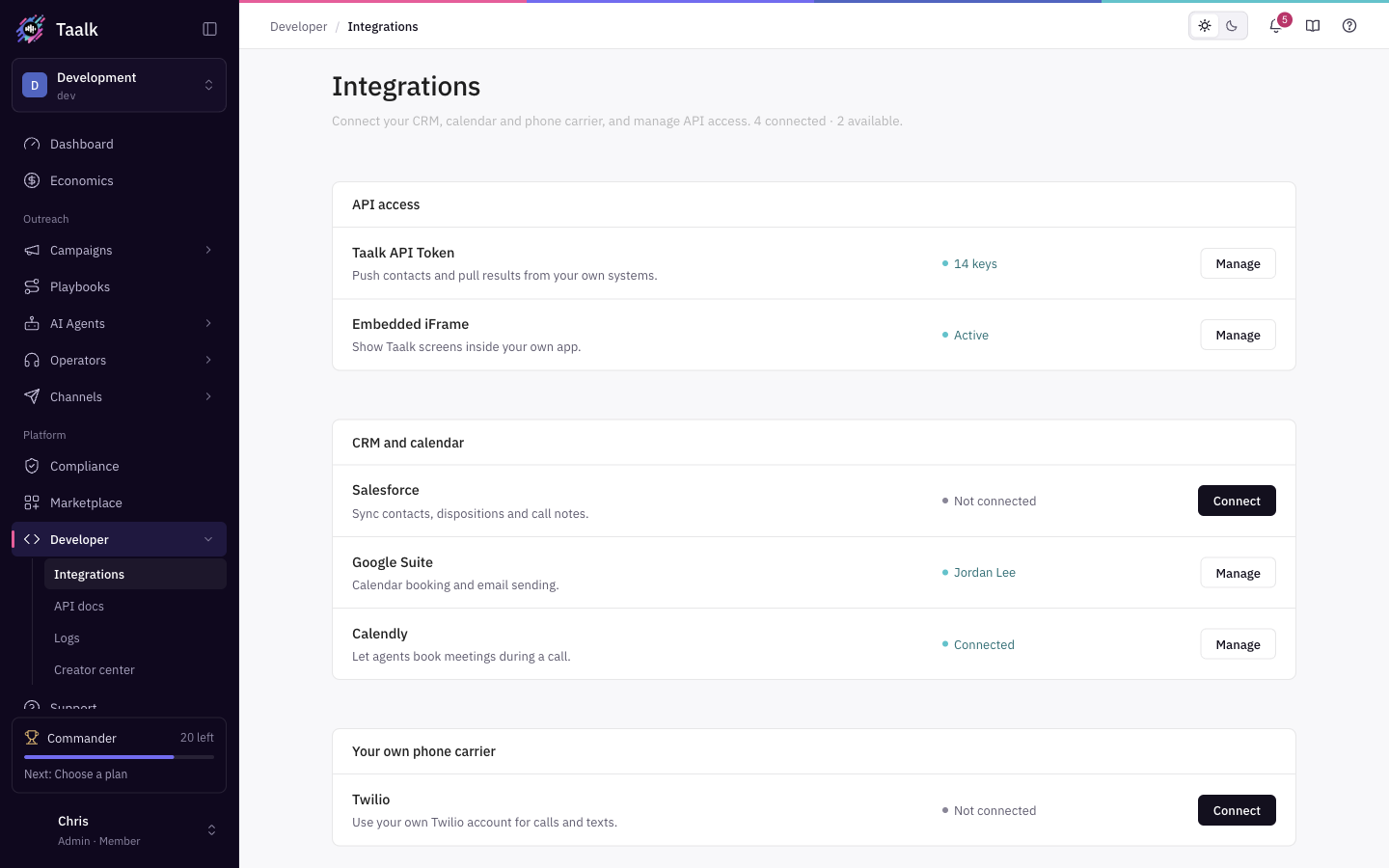 The header shows how many integrations are connected and how many are available. Integrations are grouped into three sections:
| Section | Integrations |
|---|---|
| API access | Taalk API Token, Embedded iFrame |
| CRM and calendar | Salesforce, Google Suite, Calendly |
| Your own phone carrier | Twilio |
Each row shows a status and one button:
| Button | Status shown | What it means |
|---|---|---|
| Unlock | The price, for example "$10.00" | The integration is an add-on you haven't bought. Clicking opens it in the Marketplace. |
| Connect | Not connected | Unlocked but not set up yet. Click to set it up. |
| Manage | Connected (or the account name, key count or Active) | Set up. Click to change or disconnect. |
Inside an integration, All Integrations takes you back to the list.
What each integration does and costs
| Integration | What it does | Price | Article |
|---|---|---|---|
| Taalk API Token | Create API keys to push contacts, control campaigns and pull results from your own systems. | Free | API Keys |
| Embedded iFrame | A sign-in link that shows the Taalk console inside your own app. | $10.00 one-time | iFrame Embed |
| Salesforce | Import contacts from a Salesforce object into a campaign and keep them updated. | $10.00 one-time | Salesforce Integration |
| Google Suite | Connect Google Calendar (and Sheets) for booking plugins. | $10.00 one-time | Google Integration |
| Calendly | Save your Calendly API key so a plugin can offer times and send a scheduling link. | $10.00 one-time | Calendly Integration |
| Twilio | Use your own Twilio account for calls and texts. | $10.00 one-time | Twilio BYOC |
Integration add-ons are a one-time purchase. See How Billing Works.
[Confirm] Integration add-ons are billed monthly.
Connected elsewhere
Some integrations don't have a row on this page:
| Integration | Where it lives | Article |
|---|---|---|
| Developer API docs | Platform › Developer › API docs | API and Developer Access |
| Post-call webhook | AI agent Configuration › Post-call and automations | Event Webhooks |
| Webhook and Slack alerts | Campaign Notifications tab, Company Detail Notifications | Notification Webhooks and Slack |
| Plugins (call any API during a call) | Outreach › AI Agents › Plugins | Plugins Overview |
| GoHighLevel | GoHighLevel Marketplace app and workflow action | GoHighLevel Integration |
| Zapier, Make, HubSpot | Through webhooks | Connect Zapier, Make or HubSpot with Webhooks |
| Google, Microsoft sign-in | Sign-in page | Sign-In Options |
Unlock an integration
- Click Unlock on the row.
- The Marketplace opens on that add-on. Confirm the purchase.
- Return to Integrations. The row now shows Connect.
If you open a locked integration directly, you see "Unlock the Intergration Add-on" with an Unlock Add-on button that does the same.
What Integrations can't do (yet)
- There's no native HubSpot, Zapier or Make app. Use webhooks.
- The GoHighLevel connection card is not available; use the GoHighLevel Marketplace app.
- Salesforce imports contacts; it doesn't write call results back to Salesforce.