 Taalk Help Center
Taalk Phone for Admins 4: Call Handling, Ringing, Transfers and Availability
Go to Operators › Settings › Call handling. These settings apply to every line and operator in your company. Click Edit on a section, change values, then Save.
Ringing
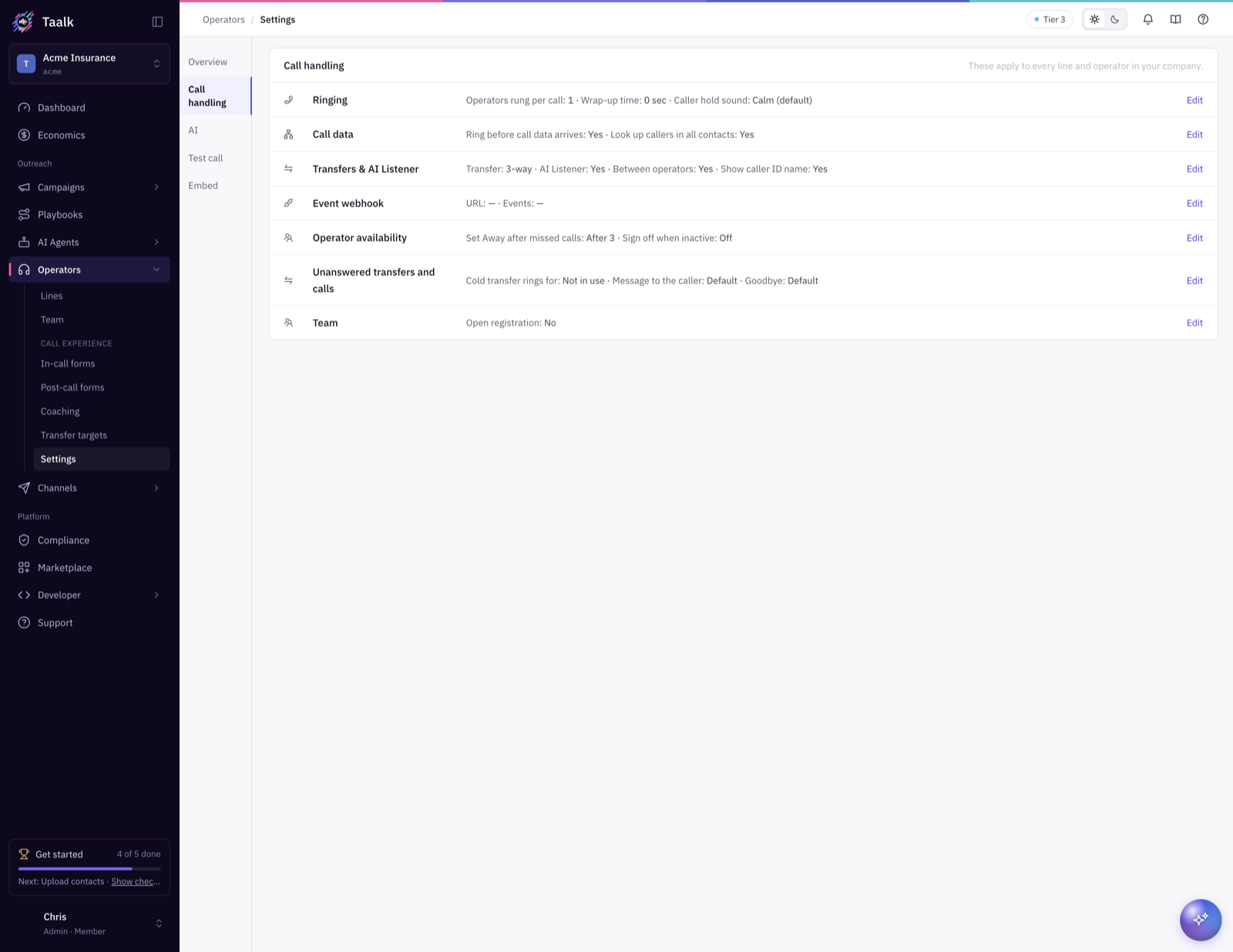
| Setting | Default | What it does |
|---|---|---|
| Operators rung per call | 1 | How many matching operators ring at once. The first to answer takes the call. Lower Rank rings first. |
| Wrap-up time (seconds) | 0 | How long operators stay unavailable after a call before the next one rings. Gives them time to finish notes. |
| Caller hold sound | Calm | What callers hear while waiting. Operators hear each number's Ringtone instead. |
Call data
- Ring before call data arrives: ring operators right away instead of waiting for call details. Lines that match by property then use the number's Inbound Campaign to find the caller.
- Look up callers in all contacts: search every campaign's contacts for the caller, not only the Inbound Campaign.
Transfers and AI Listener
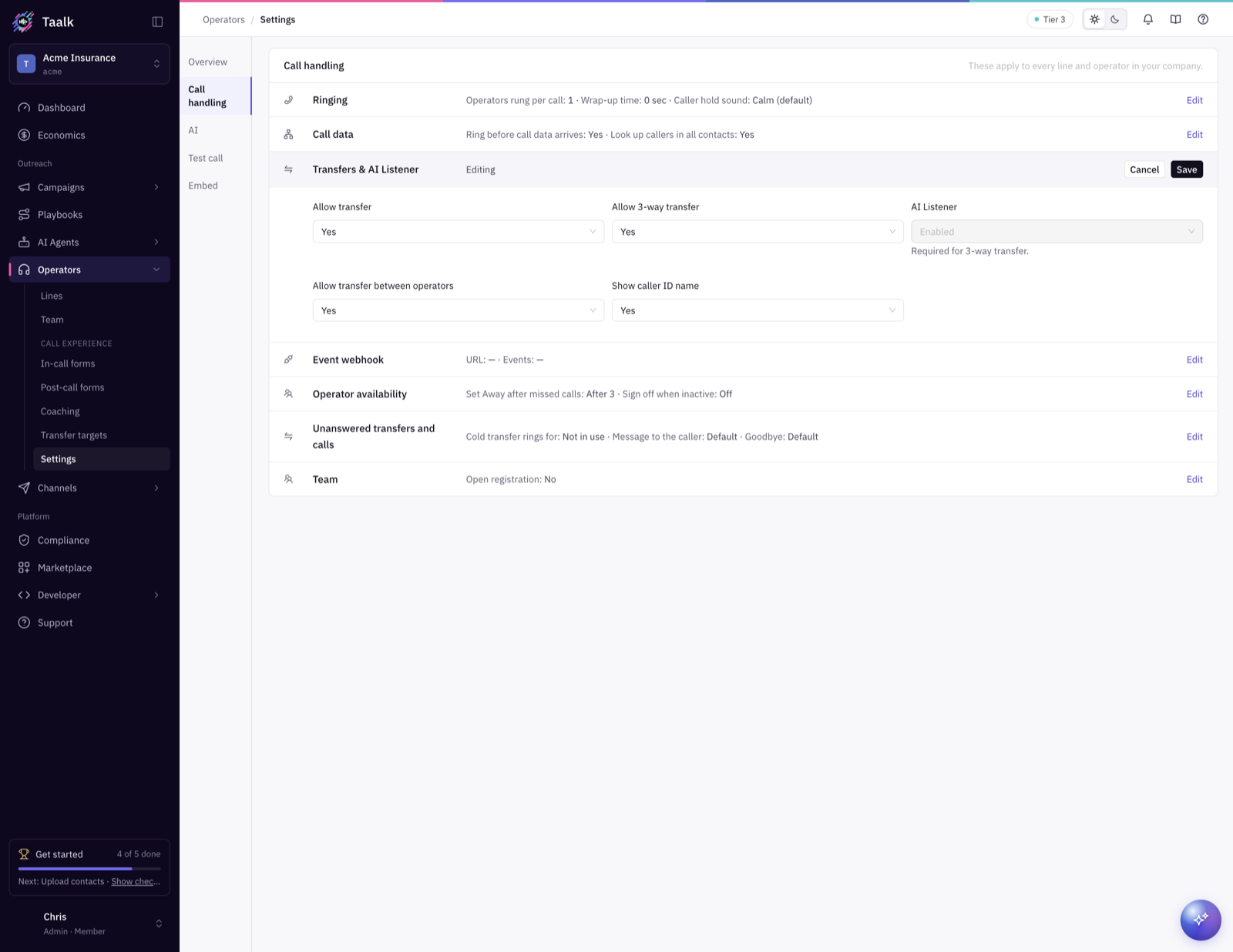
The summary shows your transfer mode: Off, Cold or 3-way. Two switches set it:
| You want | Allow transfer | Allow 3-way transfer |
|---|---|---|
| Off: no transfers | No | (off) |
| Cold: caller goes to the target, operator drops off | Yes | No |
| 3-way: the target joins; caller, operator and target talk together | Yes | Yes |
- 3-way transfer turns on AI Listener, and it stays on while 3-way is on (Required for 3-way transfer).
- Allow transfer between operators: operators see which teammates are online and free, and can hand them a call. Off means operators can only use transfer targets and typed numbers.
- Show caller ID name: shows operators which of your numbers was called.
When a cold transfer isn't answered
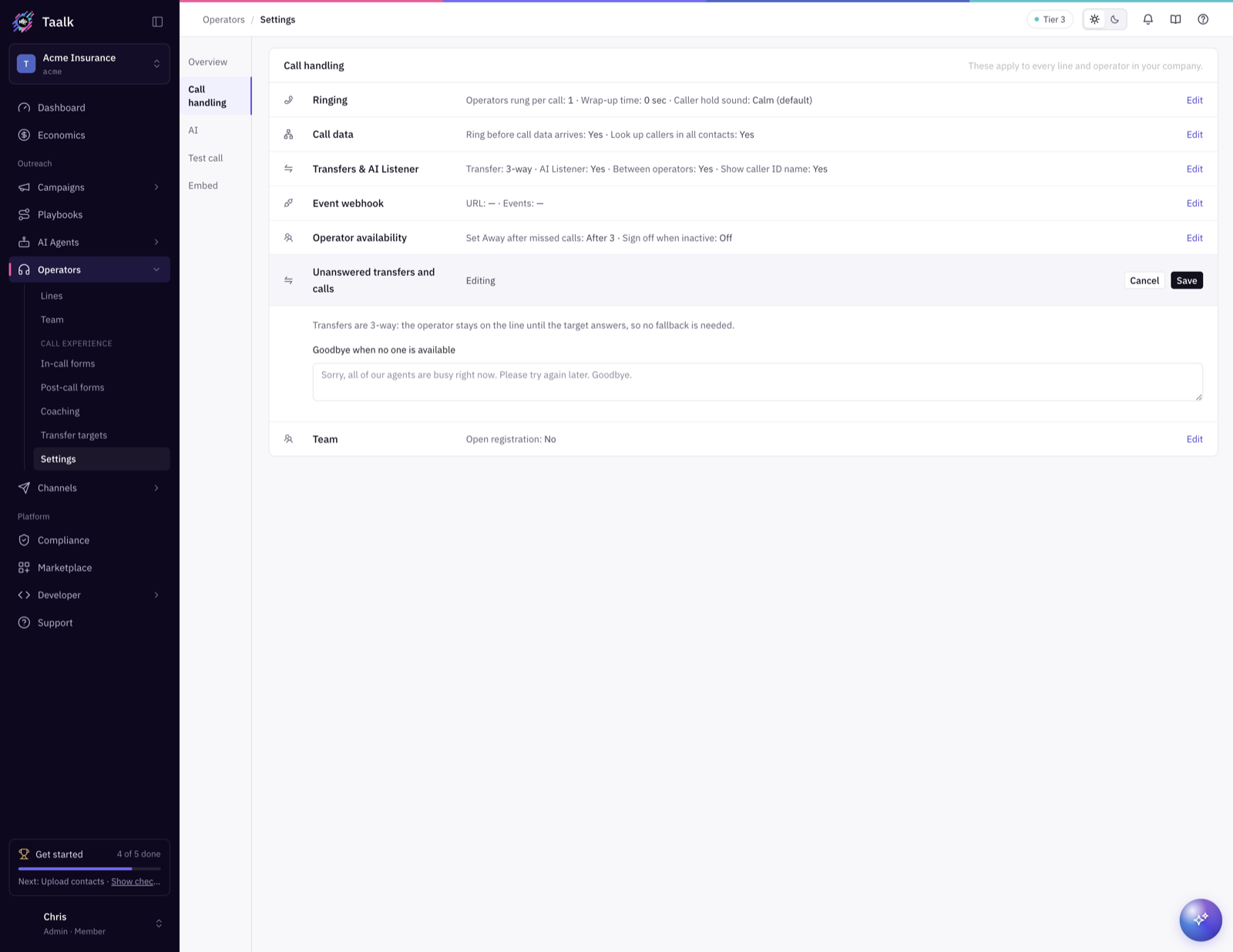
These appear when the mode is Cold:
- Ring the cold transfer target for (seconds): default 30, from 10 to 120.
- Message to the caller: read when the target doesn't answer. Default: "Sorry, that line isn't available right now. Please hold while we connect you to the next available agent."
- Audio to play instead (https URL): an optional recording instead of the message.
After the message, the caller goes back in line for the next available operator. With 3-way transfers, the operator stays on until the target answers, so this fallback isn't needed.
When no one answers at all
Goodbye when no one is available is read to a waiting caller when no operator (and no AI Operator) picks up in time, and then the call ends. Default: "Sorry, all of our agents are busy right now. Please try again later. Goodbye."
Operator availability
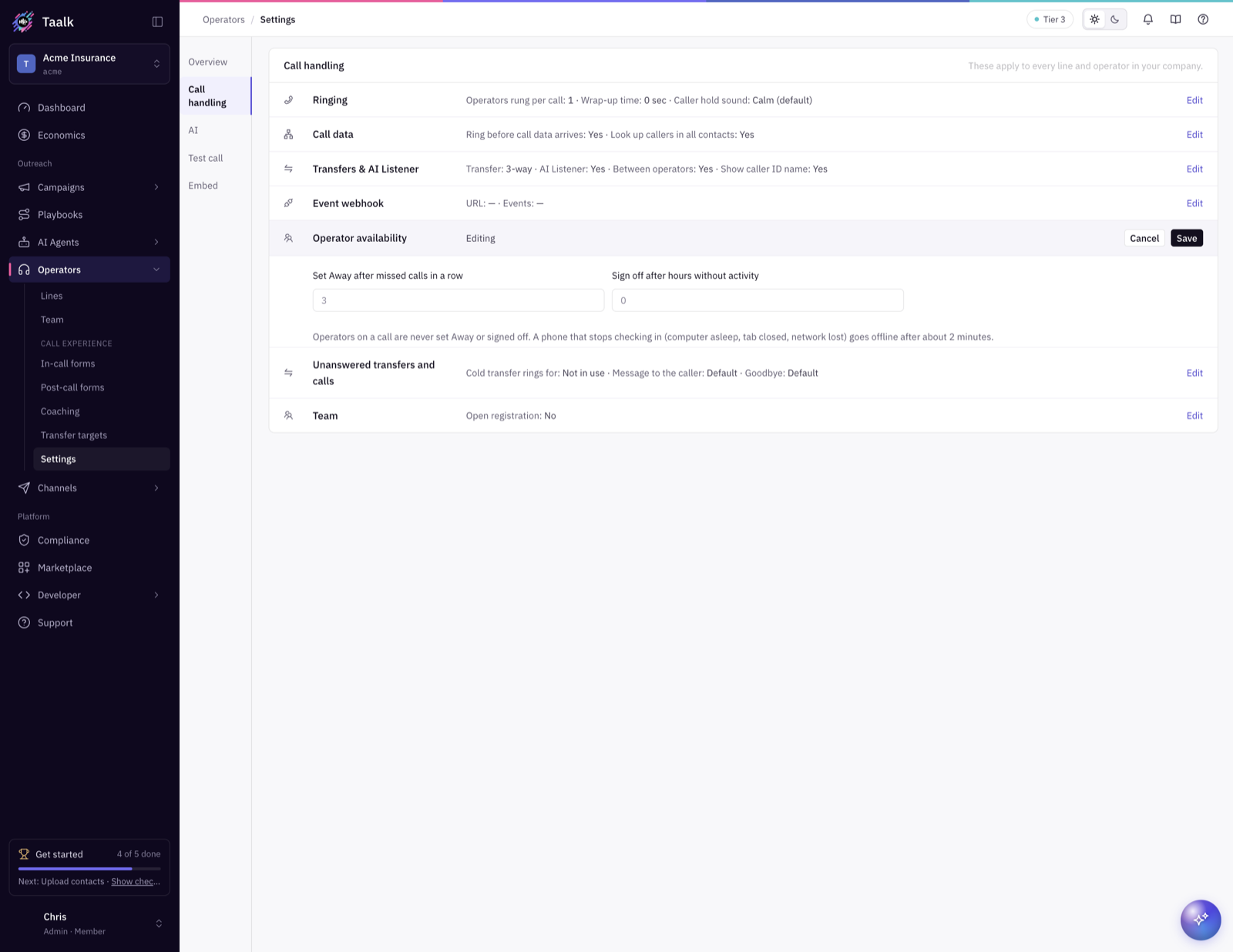
These keep calls from ringing for someone who isn't there.
| Setting | Default | What it does |
|---|---|---|
| Set Away after missed calls in a row | 3 | An operator who lets this many offered calls ring out in a row is set Away (they see Missed 3 calls). 0 turns it off. |
| Sign off after hours without activity | 0 (off) | Signs an operator off after this many hours with no clicks, typing or calls. |
Operators on a call are never set Away or signed off. A phone that stops checking in (computer asleep, tab closed, network lost) goes offline after about 2 minutes.
Tip: callers are re-offered about every 10 seconds while they wait. With Operators rung per call at 1, a single absent operator can rack up missed calls fast. Keep the missed-call rule on at go-live.
Event webhook
- Webhook URL: we POST Taalk Phone events (new call, pick up, answered, missed, end and more) here.
- Events to send: leave empty to send every event.
For per-line integrations, see API Integrations on the line (article 2).
AI tab
- AI Operator: an AI Agent answers when your team can't. Choose When no operator is available or After the caller waits 30 seconds. Then pick the AI Agent for each line in AI Agent per line.
- AI Listener is set under Call handling › Transfers & AI Listener. It listens to every call and powers Co-Pilot, live coaching, transcripts and listening in.
If an add-on isn't on your plan, click Unlock.