 Taalk Help Center
Taalk Phone for Operators 7: Quick Reference and Troubleshooting
Keep this page handy for your first week.
Keyboard shortcuts
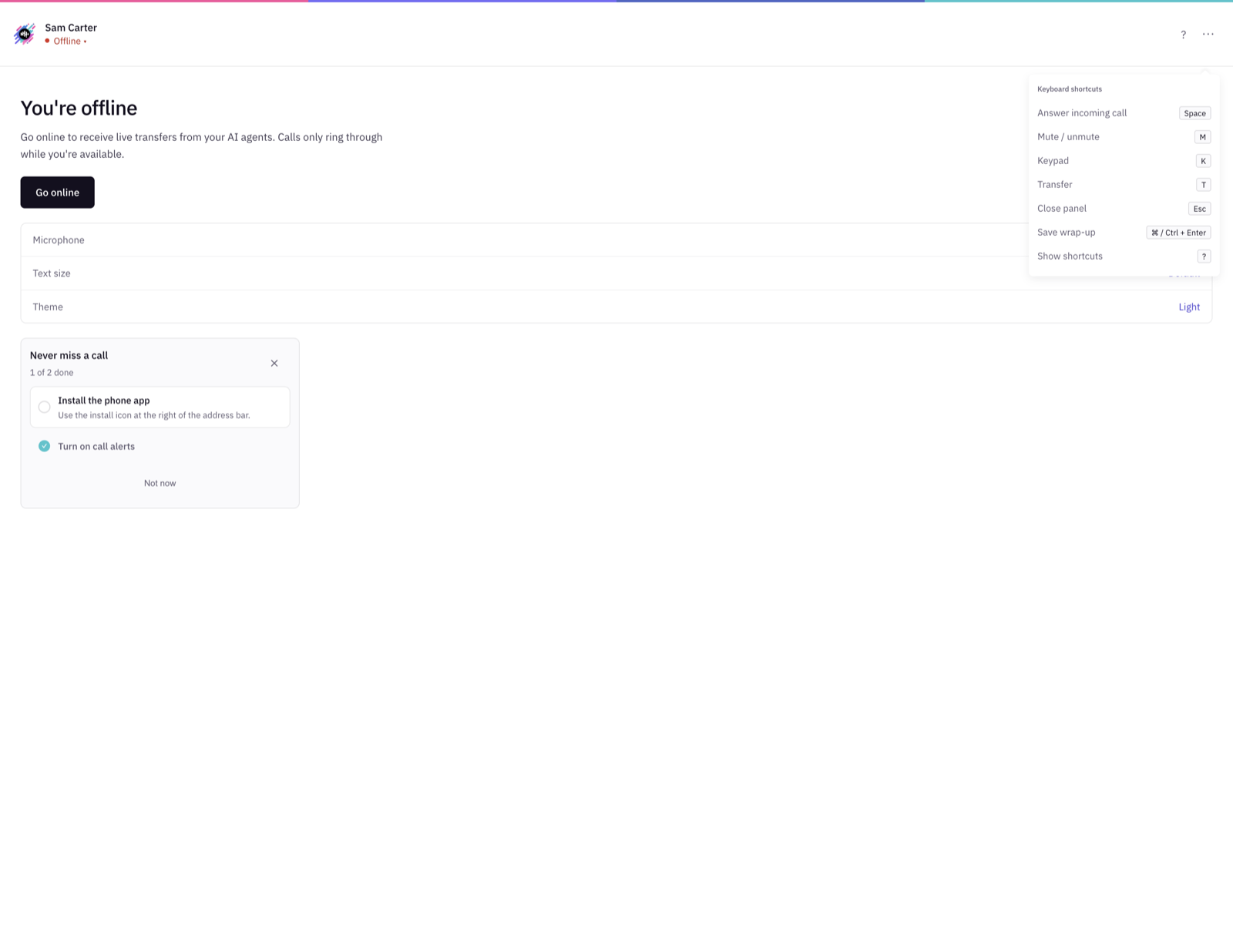
Press ? in the phone to see them anytime. Single-key shortcuts don't fire while you're typing in a field.
| Action | Key |
|---|---|
| Answer an incoming call | Space |
| Mute / unmute | M |
| Keypad | K |
| Transfer | T |
| Close a panel | Esc |
| Save wrap-up | Ctrl + Enter (⌘ + Enter on Mac) |
| Show shortcuts | ? |
Start-of-shift checklist
- Put on your headset.
- Open Taalk Phone (the installed app, or your company's link) and sign in.
- Check that the microphone shows Allowed on the offline screen.
- Click Go online. The status should say Available.
End-of-shift checklist
- Finish any wrap-up.
- Click your status › Go offline.
Make the phone easier on your eyes
Open More (⋯):
- Text size: Small, Default or Large
- Dark theme / Light theme
- Full screen
- Wide layout during calls: shows the lead, coaching and script side by side
Troubleshooting
| What you see | Why | What to do |
|---|---|---|
| Allow your microphone to take calls | The browser is blocking the mic | Click the site settings icon left of the address bar, set Microphone to Allow, reload |
| Calls aren't ringing | You're Away or Offline | Click your status › Available or Go online |
| Status says Missed 3 calls | Calls rang out without an answer | Click Ready now. Stay at your desk while you're available. |
| Disconnected at a time | The computer slept, the tab froze or the network dropped | Click Go online. Turn off sleep while you're online. |
| Signed off at a time | No activity for a long time | Click Go online |
| Your phone went offline at a time | The tab was closed or put to sleep | Install the phone app so it runs in its own window |
| Red banner This agent was opened in another window | You opened Taalk Phone somewhere else | Use only one window. Close the extra one, then Go online in the one you keep. |
| The agent is on a call in another window | You're on a call in another window | Finish that call first |
| The call is picked by other agent | Someone else answered first | Nothing. Wait for the next call. |
| Connection lost. Reconnecting your call… | Network dropped mid-call | Wait up to 30 seconds. Don't refresh. |
| Something went wrong on this screen | Screen error; the call is still connected | Keep talking, use Mute / Hang up there, click Try again |
| The caller can't hear you | Wrong mic, or muted | Check Unmute, check the level bar at the top, and pick your headset as the mic in your computer's sound settings |
| Echo on the call | Laptop speakers | Use a headset |
| Incorrect email or password. | Typo, or wrong password | Use Forgot password? |
| This invitation is no longer valid | The invite expired (14 days) or was revoked | Ask your admin to resend it |
Who to ask
For anything about your lines, scripts, dispositions or transfer targets, ask your Taalk Phone admin. They can see every call in the call log, including the timeline, the recording and who was on the call.